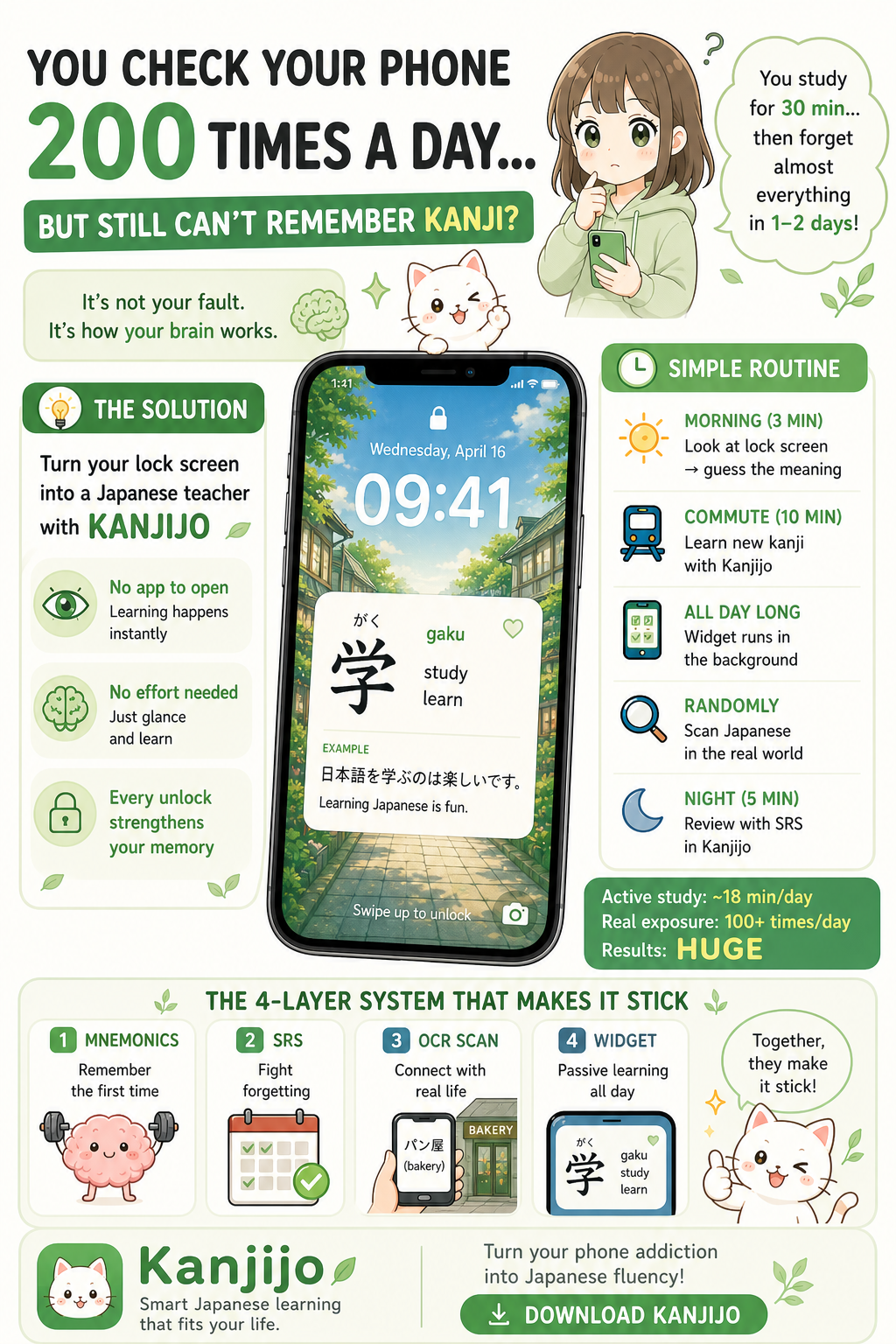
You unlock your phone roughly 100–200 times a day. Each unlock is a 200–800 millisecond window when your eyes are already scanning the screen. Multiply that across a year and you get 50,000–75,000 free attention-units. Conventional study apps use exactly zero of them. Widgets harvest all of them.
That is the case for the 3-widget Japanese system. Not as a replacement for focused study - as the layer that quietly produces 90% of your daily reps while you do everything else.
1. Why Widgets Beat Apps For 90% Of Reviews
Opening an app costs roughly 5–8 seconds of attention friction: unlock, find icon, tap, wait, decide what to do. Across a busy day that friction kills 80% of intended study sessions. Widgets bypass it entirely. The card is already on the surface you were going to look at anyway.
Memory consolidation does not care whether you sat at a desk for 30 minutes or saw the same kanji 30 times across the day. Spaced repetition is about repetition spaced over time. Widgets are the most efficient SRS surface ever designed because they remove the activation cost entirely.
2. The Three Surfaces - Each Doing One Job
| Widget | Format | Best Moment | Cognitive Load |
|---|---|---|---|
| Home | Medium / Large card with example sentence | Breakfast, lunch break, after dinner | Medium - you read, parse, internalise |
| Lock | Tiny - one kanji or word with reading | Every phone unlock | Low - one-second glance, optional recall |
| Test | Interactive tap-to-quiz | Queues, transit, waiting rooms | High - active recall in 5–10 seconds |
Each surface targets a different cognitive mode. The home widget is for moments when you have 10–15 free seconds. The lock widget is for moments when you have less than two. The test widget is for moments when you actually want to commit attention but don’t want to enter a 20-minute session.
3. The Daily Rhythm
- 07:30 - First unlock: lock widget shows yesterday’s due card. Cover meaning with thumb, recall, peek.
- 07:45 - Coffee: home widget on the breakfast screen. Read the example sentence aloud once.
- 08:30 - Commute: lock widget catches 8–12 unlocks. Each is a recall attempt.
- 10:30 - Coffee break: test widget for a 60-second active-recall round.
- 13:00 - Lunch: home widget refreshes with a new card. Internalise once.
- 17:00 - Train home: test widget burst - 2–3 minutes, 10–15 cards.
- 22:00 - Last unlock: lock widget shows tomorrow’s preview. Quiet exposure before sleep.
Total focused-app time: 0 minutes. Total exposures: 40–80. Total cards reinforced: 25–40. That is the daily output of a casual 15-minute session, distributed invisibly across the day.
4. The Habit Lock-In Rule
The single rule that makes the system stick: you may not unlock your phone without looking at the widget for one second. No active recall required. No tap. Just look.
That rule is psychologically light enough to never refuse and behaviourally heavy enough to compound. After 7 days the pause becomes automatic. After 30 days you start recalling words before you realise you looked. After 90 days, your unlock animation is your study session.
5. The Three Widgets, Compared In Detail
The Home Widget - The Anchor
Sized medium or large. Shows a kanji or vocab item with reading, meaning and a real example sentence. This is the surface where you go from passive recognition to integrated understanding. Place it on your primary home screen, top-third.
The Lock Widget - The Workhorse
Tiny - a single kanji with on/kun reading or a single word with romaji-free reading. The constraint is the feature: a one-character footprint forces extreme distillation. This surface contributes the bulk of your daily exposures.
The Test Widget - The Sharpener
Interactive. Tap once to reveal, tap again to mark known/unknown. Each interaction takes 3–6 seconds and triggers active recall - the cognitive operation that produces the strongest retention gains. Use it during dead time when you would otherwise scroll.
6. The 30-Day Math
Conservative numbers. 60 lock-screen glances/day × 30 days = 1,800 micro-exposures. 4 home-widget reads/day × 30 days = 120 deeper internalisations. 30 test-widget interactions/day × 30 days = 900 active-recall reps. Total: 2,820 reps in a month. That is the equivalent of 47 hour-long study sessions - achieved with zero scheduled time.
7. Why Apps Without All Three Lose
Some apps offer a single widget. A few offer two. Almost none offer the full home/lock/test trio powered by one SRS engine. The reason matters: when the three surfaces share the same deck, every glance, read and tap reinforces the same spaced-repetition queue. Fragmented widgets across multiple apps do not compound - they fight each other for attention.
The 3-widget system only works as a system. That is its entire competitive moat.
8. The Wrap
Most learners think of a Japanese app as a destination - a place you go to study. The 3-widget system inverts that completely. The app becomes the engine; the surfaces become the study. Your phone stops being a distraction layer and becomes a quiet, ambient classroom that follows you through the day. The result is the same outcome as disciplined study without requiring any discipline.
Set Up The 3-Widget Stack With Kanjijo
Kanjijo is the only Japanese learning app that ships all three widget formats - home, lock and interactive test - powered by one SRS deck. Add exclusive mnemonics for every kanji and JLPT vocab word, an OCR camera scanner, full N5 → N1 grammar, listening and reading. Free on iOS.
Download Kanjijo FreeRelated Reading on Kanjijo
Frequently Asked Questions
Yes - spaced micro-exposure is exactly what SRS optimises. Widgets remove the activation cost of opening an app.
Home = full card for deeper reads. Lock = one-glance reps captured on every unlock. Test = interactive tap-to-quiz for active recall.
Kanjijo is the only Japanese app that ships all three from one SRS deck so your reps compound instead of fragmenting.
The opposite - they replace doomscrolling with one-second learning reps.